> ## Documentation Index
> Fetch the complete documentation index at: https://dodopayments-mintlify-external-integration-datafast-autosen.mintlify.site/llms.txt
> Use this file to discover all available pages before exploring further.
# Digital Product Delivery
> The Digital Product Delivery feature in Dodo Payments allows merchants to deliver digital products to their customers.
## Overview
The **Digital Product Delivery** feature enables merchants to automatically deliver digital files to customers after successful purchases. Whether you're selling e-books, design templates, software, or media packs, you can attach downloadable content to your products, providing instant access via email and the customer portal.
This feature supports both hosted file uploads and external download links, offering flexibility for various use cases.
## Key Features
Upload and deliver digital files (PDF, ZIP, images, videos, etc.) directly to your customers.
Attach up to 10 files per product for comprehensive digital product delivery.
Provide external download links (Dropbox, Google Drive, etc.) as an alternative to file uploads.
Customers automatically receive download instructions via email upon successful payment.
## Setup Process
Go to your dashboard and select **Products > Create New** or edit an existing product. Navigate to **Advanced Settings → Digital Product Delivery**.
Choose one of the following options:
* **Upload File(s)**: Add up to 10 files directly to your product
* **External Download Link**: Paste a secure link hosted externally (e.g., Dropbox, Google Drive)
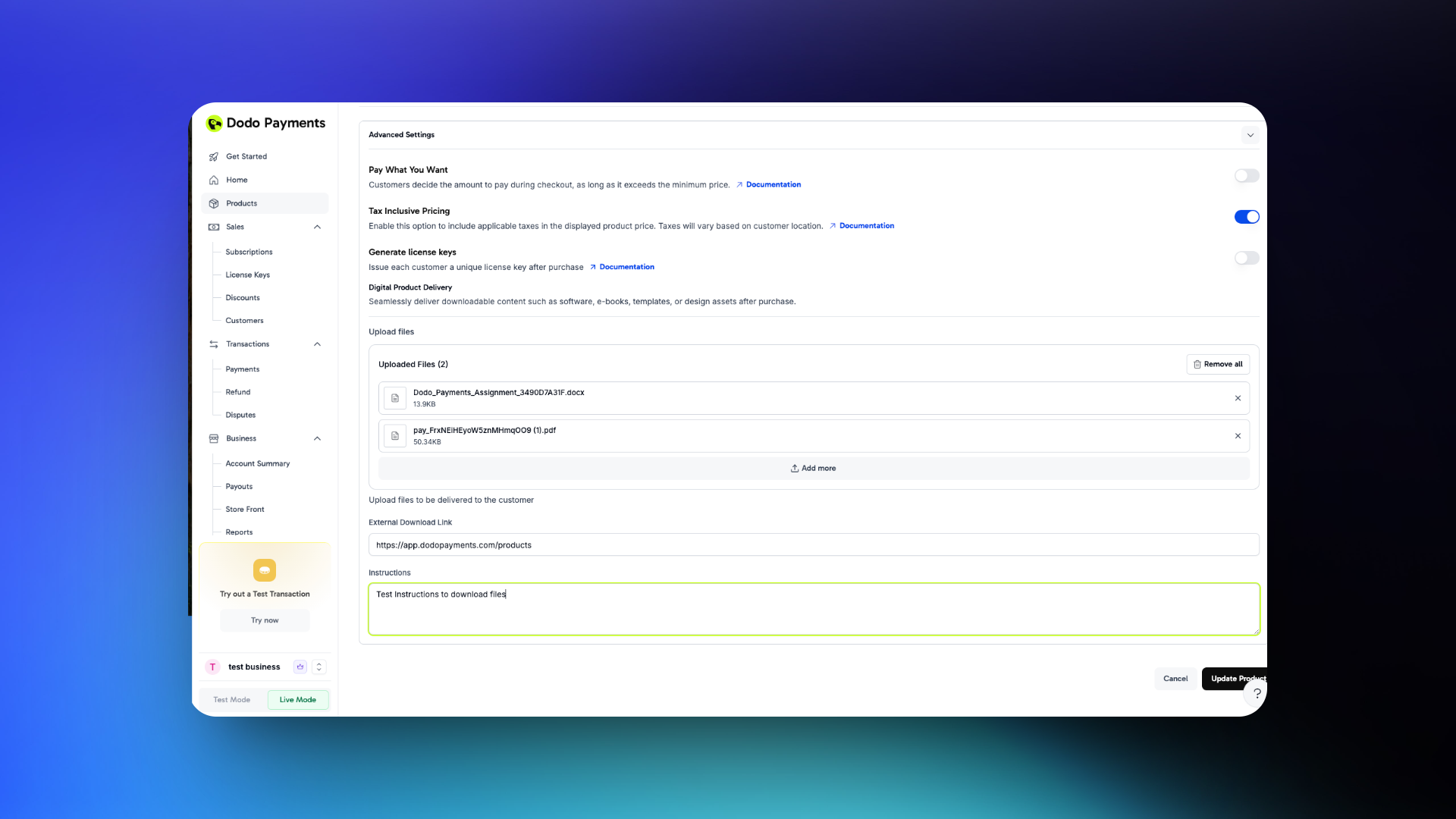 Click **Update Product** to make your digital product delivery settings live.
Uploaded files are served via static URLs — anyone with the link can access the file. Consider external services with authentication for sensitive content.
## Customer Experience
### Purchase Confirmation
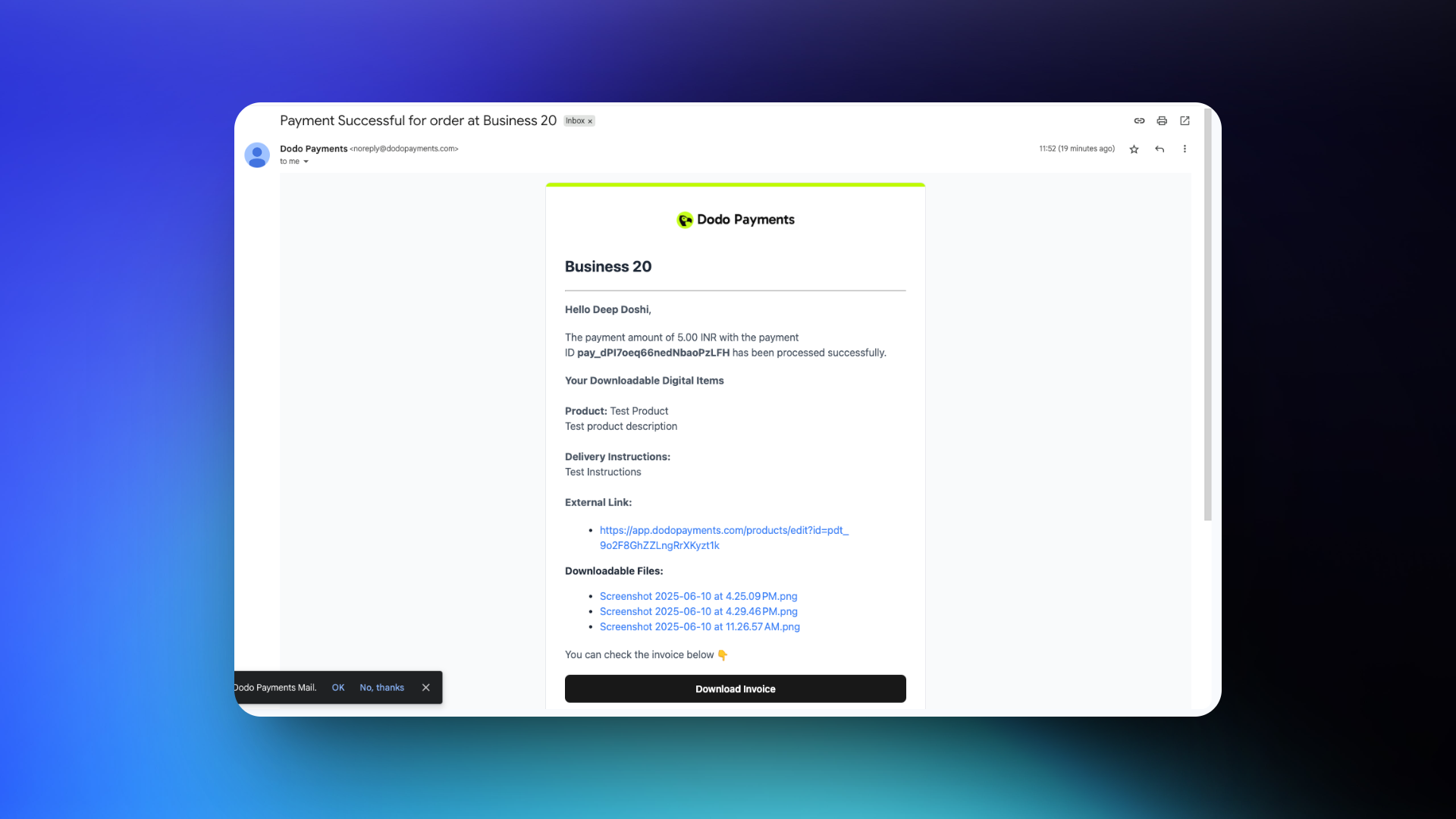
After a successful transaction, customers receive a purchase confirmation email containing download links for their digital products.
Click **Update Product** to make your digital product delivery settings live.
Uploaded files are served via static URLs — anyone with the link can access the file. Consider external services with authentication for sensitive content.
## Customer Experience
### Purchase Confirmation
After a successful transaction, customers receive a purchase confirmation email containing download links for their digital products.
 ### Customer Portal Access
Customers can access their digital products through the Customer Portal:
* Log in to view all past purchases
* Download files or access external links for each product
* Persistent access to purchased digital content
### Customer Portal Access
Customers can access their digital products through the Customer Portal:
* Log in to view all past purchases
* Download files or access external links for each product
* Persistent access to purchased digital content
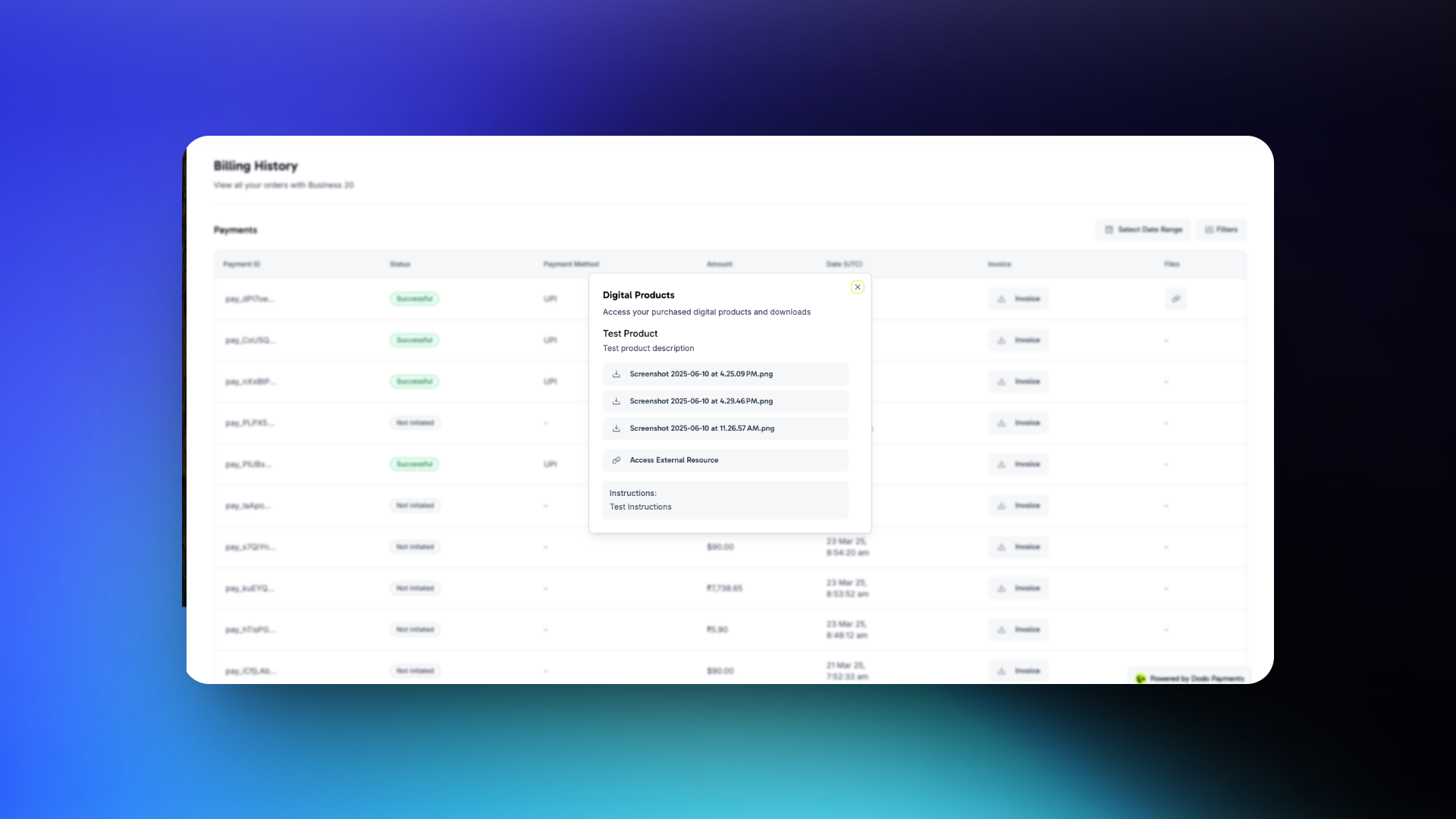 Customers can download files directly from confirmation emails or access them anytime through their portal.
## Important Considerations
* **Security**: Static download links are not order-authenticated. Customers with the link can re-share the same link with other parties. For secure or licensed content, consider integrating with external services that support gated or authenticated access.
* **File Updates**: Updating a file or external link will affect all future purchases only. Past purchases will not be affected and customers can still access those files
* **Refunds**: Issuing a refund does not revoke access to files. Customers who already downloaded a file will still have it on their device.
* **Best Practice**: For version control or limited-time access, consider delivering your content via expiring or signed URLs hosted externally.
Customers can download files directly from confirmation emails or access them anytime through their portal.
## Important Considerations
* **Security**: Static download links are not order-authenticated. Customers with the link can re-share the same link with other parties. For secure or licensed content, consider integrating with external services that support gated or authenticated access.
* **File Updates**: Updating a file or external link will affect all future purchases only. Past purchases will not be affected and customers can still access those files
* **Refunds**: Issuing a refund does not revoke access to files. Customers who already downloaded a file will still have it on their device.
* **Best Practice**: For version control or limited-time access, consider delivering your content via expiring or signed URLs hosted externally.