> ## Documentation Index
> Fetch the complete documentation index at: https://dodopayments-mintlify-external-integration-datafast-autosen.mintlify.site/llms.txt
> Use this file to discover all available pages before exploring further.
# Disputes
> The Disputes section is dedicated to managing customer disputes related to payments. Merchants can view and manage disputes from the Transactions page, including tracking the status of chargebacks and responding to disputes.
## Introduction
The disputes section provides a detailed view of all the disputes raised along with the current status of these disputes. You will have to manage the dispute resolution at your end but the dashboard will provide a visibility into the status, reason for dispute, dispute ID for convenience of access to information.
## Viewing and Understanding Disputes
Go to the Transactions page in your dashboard and select the Disputes tab. This displays a list of all disputes associated with your account.
Click the eye icon next to any dispute entry to open a detailed view. Here, you can review the dispute reason, status, dispute ID, and other relevant information.
In the dispute details, locate the Associated Payment field. Click the eye icon here to view the full payment details related to the dispute.
## Responding to a Dispute
When a dispute is raised against your transaction, follow these steps to respond effectively:
1. **Check Your Dashboard**
* Navigate to the transactions → disputes section
* Look for the new dispute entry
2. **Review Email Notification**
* Check your registered email for dispute creation notification
3. **Choose Your Response**
* You can either accept or counter the dispute
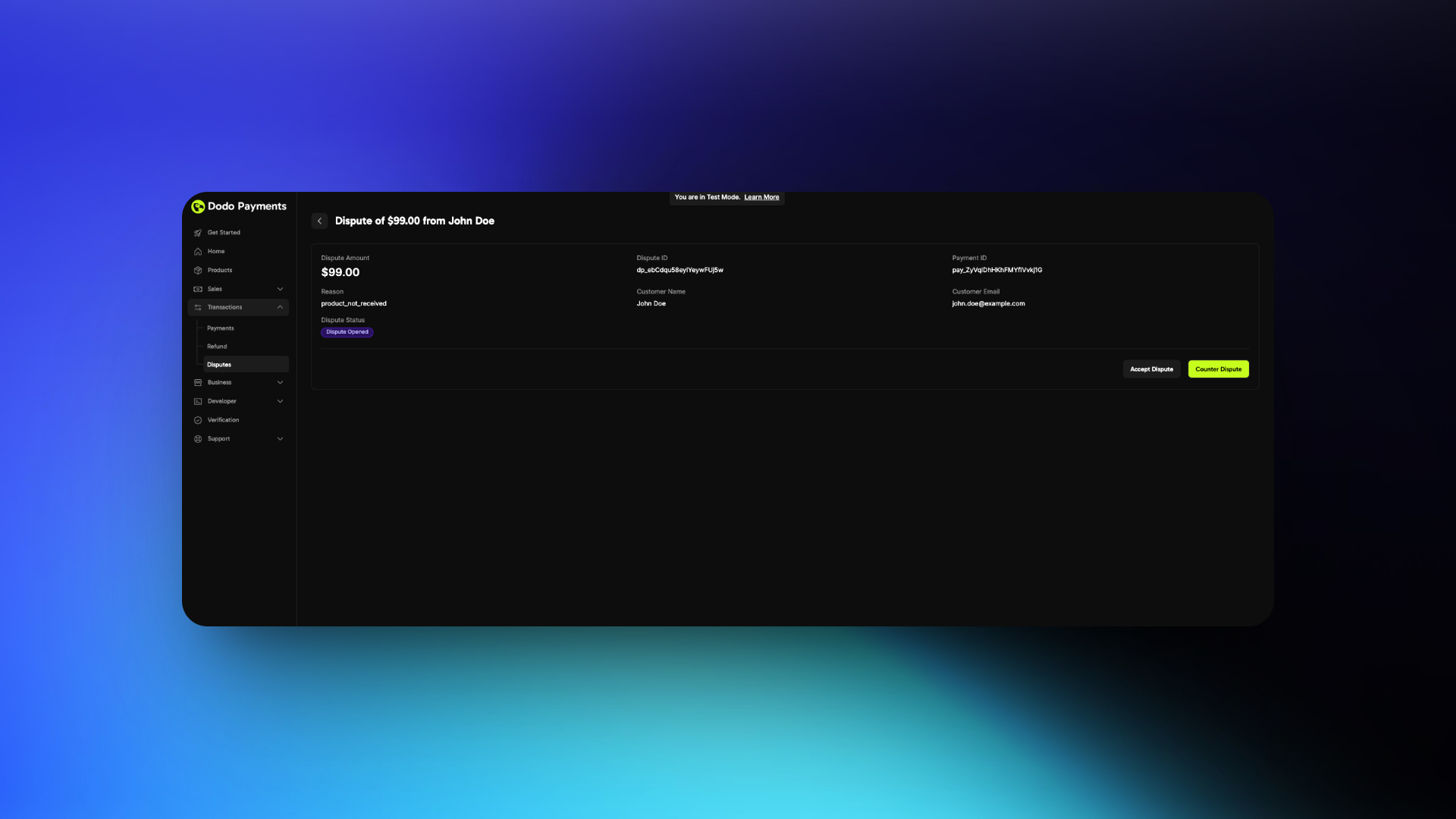 4. **If Accepting**
* No further action required
* You will lose the dispute
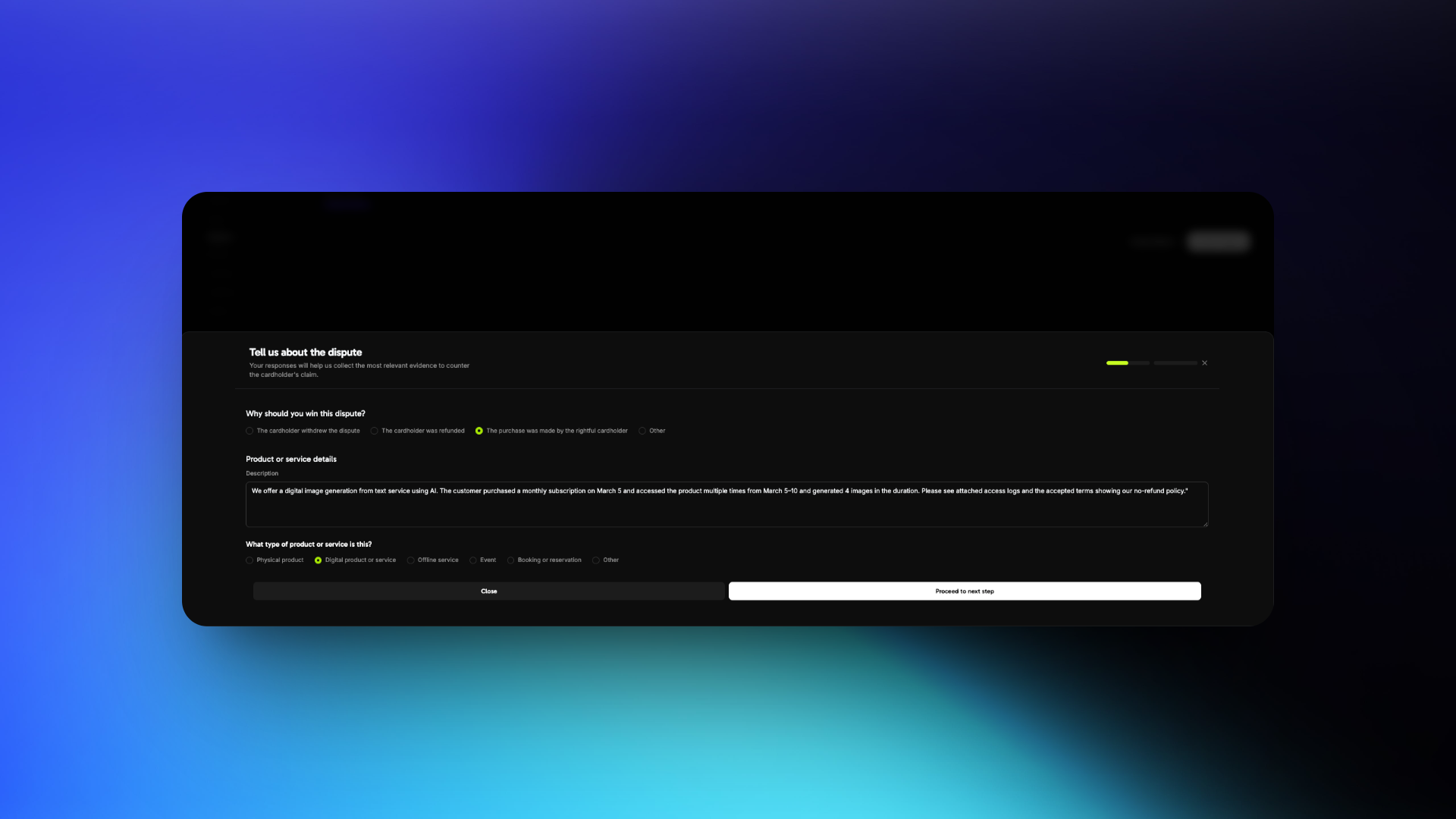
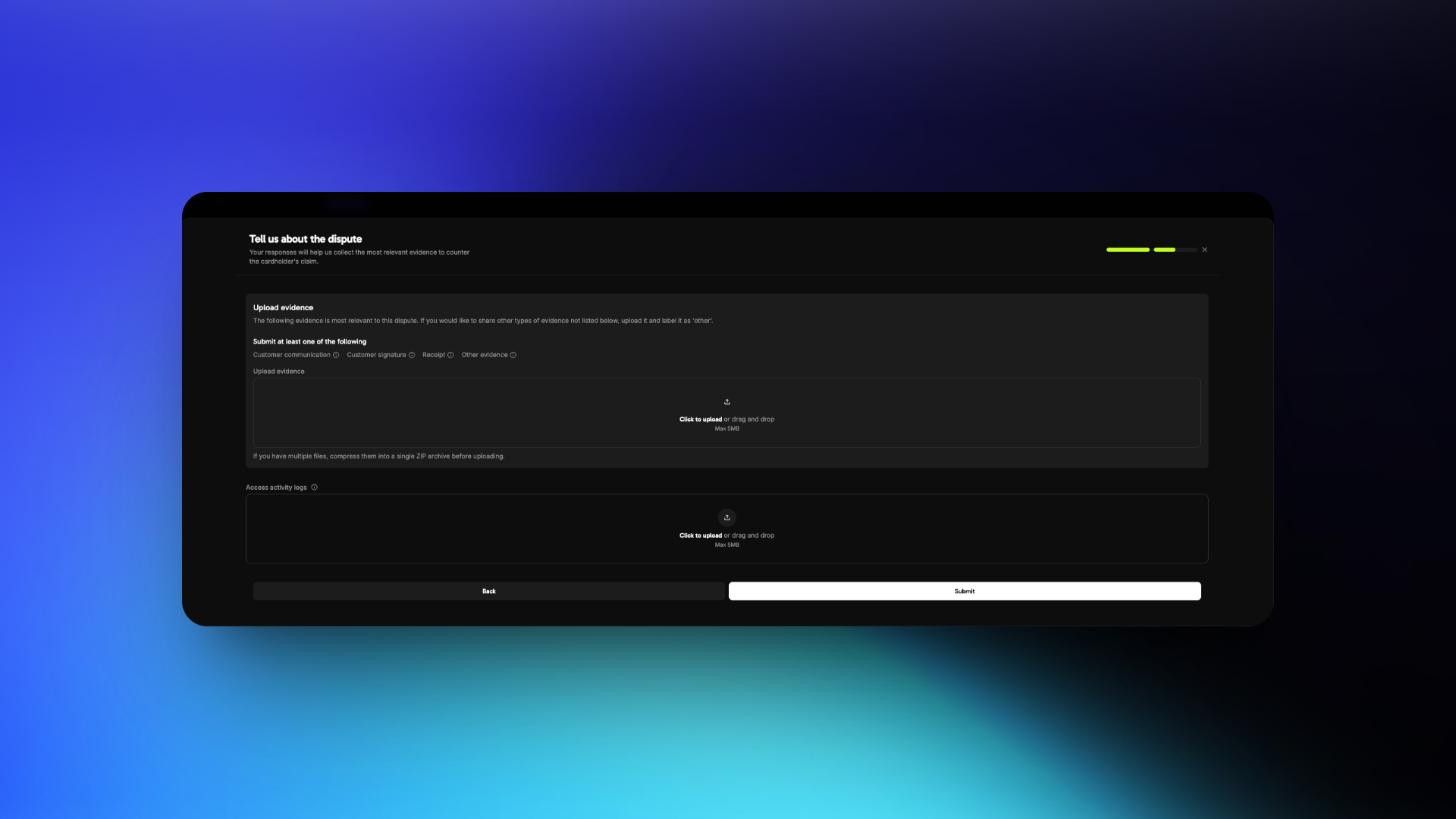
5. **If Countering**
* Prepare to submit evidence
* Follow the best practices below
4. **If Accepting**
* No further action required
* You will lose the dispute
5. **If Countering**
* Prepare to submit evidence
* Follow the best practices below
 You have 4 days to respond to a dispute after creation
## Dispute Response Best Practices
Review the dispute reason carefully. Common reasons include:
The customer claims they did not authorize the transaction
The customer claims they did not receive the product/service after payment
The customer claims the product/service differs from what was advertised
Your response must directly address the specific reason. Avoid submitting generic or unrelated evidence.
Focus on customer identity, access, and usage evidence.
* **Invoice** of the purchase
* **IP address, device, and location** details at time of purchase
* **Login timestamps** showing access to your platform or service
* **Browser/device fingerprint** or account activity logs
* Previous successful transactions from the same customer or account
* Terms of Service and Refund Policy accepted at time of purchase
* **Invoice** of the purchase
* Screenshot or logs showing **successful login**
* Timestamped activity (downloads, content viewed, sessions started)
* Emails or support messages confirming access was granted
* Welcome emails or onboarding steps completed by the customer
* Internal logs showing product/service was delivered as promised
* **Invoice** of the purchase
* Product/service description from your website at time of purchase
* Comparison of what was promised vs. what was delivered
* Documentation or screenshots of what was accessed
* Any customer communication acknowledging receipt or usage
* Refund policy and support options made available to the customer
* What the customer purchased
* When and how they accessed it
* Why the dispute claim is inaccurate
Keep your language factual and professional. Avoid emotional or accusatory statements.
"We offer a digital image generation from text service using AI. The customer purchased a monthly subscription on March 5 and accessed the product multiple times from March 5–10 and generated 4 images in the duration. Please see attached access logs and the accepted terms showing our no-refund policy."
* Use **PDF, JPG, or PNG** formats only
* Clearly **label each file** (e.g., `Login_Log_March_5.pdf`)
* Submit only **relevant** and **organized** files
* Keep files under 5 MB each
* Do **not include links or URLs**
* Ignoring the actual dispute reason
* Using vague or emotional statements
* Uploading unrelated or unstructured files
* Providing links instead of files
* Include **timestamps with timezone** to prove access timelines
* Highlight any **two-factor authentication** or verification steps
* Share **refund refusal communication** if it aligns with your policy
* Keep your policies clearly visible and easy to prove were accepted
You have 4 days to respond to a dispute after creation
## Dispute Response Best Practices
Review the dispute reason carefully. Common reasons include:
The customer claims they did not authorize the transaction
The customer claims they did not receive the product/service after payment
The customer claims the product/service differs from what was advertised
Your response must directly address the specific reason. Avoid submitting generic or unrelated evidence.
Focus on customer identity, access, and usage evidence.
* **Invoice** of the purchase
* **IP address, device, and location** details at time of purchase
* **Login timestamps** showing access to your platform or service
* **Browser/device fingerprint** or account activity logs
* Previous successful transactions from the same customer or account
* Terms of Service and Refund Policy accepted at time of purchase
* **Invoice** of the purchase
* Screenshot or logs showing **successful login**
* Timestamped activity (downloads, content viewed, sessions started)
* Emails or support messages confirming access was granted
* Welcome emails or onboarding steps completed by the customer
* Internal logs showing product/service was delivered as promised
* **Invoice** of the purchase
* Product/service description from your website at time of purchase
* Comparison of what was promised vs. what was delivered
* Documentation or screenshots of what was accessed
* Any customer communication acknowledging receipt or usage
* Refund policy and support options made available to the customer
* What the customer purchased
* When and how they accessed it
* Why the dispute claim is inaccurate
Keep your language factual and professional. Avoid emotional or accusatory statements.
"We offer a digital image generation from text service using AI. The customer purchased a monthly subscription on March 5 and accessed the product multiple times from March 5–10 and generated 4 images in the duration. Please see attached access logs and the accepted terms showing our no-refund policy."
* Use **PDF, JPG, or PNG** formats only
* Clearly **label each file** (e.g., `Login_Log_March_5.pdf`)
* Submit only **relevant** and **organized** files
* Keep files under 5 MB each
* Do **not include links or URLs**
* Ignoring the actual dispute reason
* Using vague or emotional statements
* Uploading unrelated or unstructured files
* Providing links instead of files
* Include **timestamps with timezone** to prove access timelines
* Highlight any **two-factor authentication** or verification steps
* Share **refund refusal communication** if it aligns with your policy
* Keep your policies clearly visible and easy to prove were accepted