

Adaptive Currency lets you show localized prices and accept payments in customers’ local currencies. This reduces friction at checkout and builds trust.
What Is Adaptive Currency?
Adaptive Currency displays product prices in the customer’s local currency instead of a fixed global currency (for example, USD). When enabled, checkout defaults to the detected local currency for supported countries, with the option to switch to USD.Key Benefits
- Localized payment experience: Prices appear in local currency by default.
- More payment methods: Unlocks payment methods available for the local currency.
- Same‑currency refunds: Refund the customer in the currency they paid with.
Enable Adaptive Currency
1
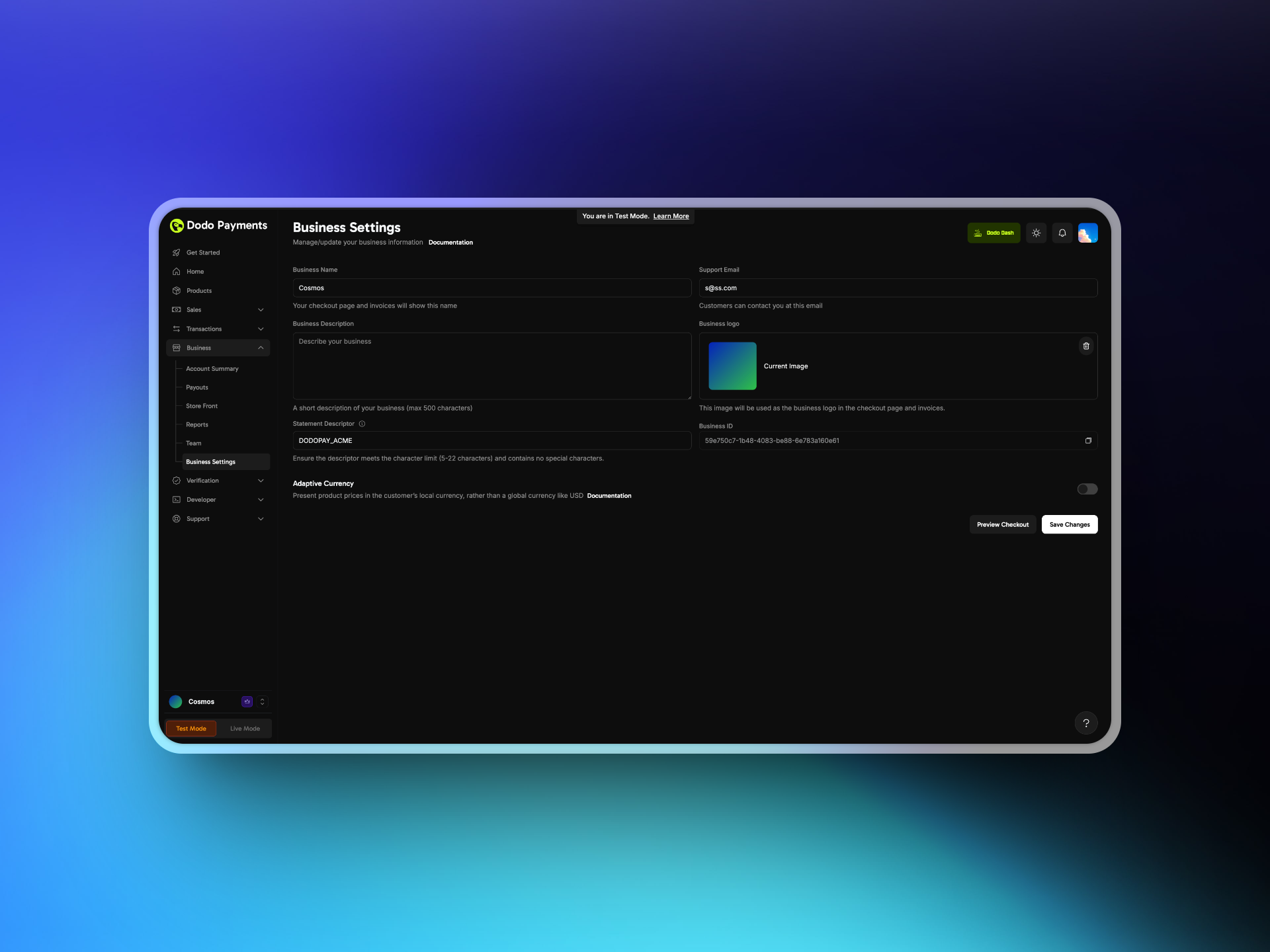
Open Business Settings
Log in to your Merchant Dashboard and go to Business → Business Settings.
2
Toggle Adaptive Pricing
Enable the Adaptive Pricing toggle. You can disable it at any time.
3
Confirm and Save
Save your settings.
Verify a test checkout shows prices in your local currency when supported.
Customer Experience
- Detection: The system detects the customer’s country based on the billing address.
- Currency selection: If the country is supported, prices show in the local currency by default. Customers can switch to USD.
- Payment methods: Localized payment methods appear where applicable.
- Checkout: Payment is completed in the selected currency.
Conversion and Fees
Adaptive Currency charges the customer in their local currency using the latest exchange rates.- You pay: 0%
- Your customers pay: 2–4% based on order value
- 4% for orders under $500
- 3% for 500 to $1,500
- 2% for over $1,500
Adaptive Currency fees are borne by the customer, not the merchant.
Supported Currencies
Refunds and Adjustments
Dodo Payments issues refunds in the currency the customer originally paid, using the latest exchange rate. The global USD amount remains fixed on your dashboard, invoices, and in the refund. This means the customer may receive more or less than the original local‑currency amount depending on FX changes.Adaptive Currency fees which are generally the FX fees are not refunded.
- You sell a product for 100 USD with Adaptive Currency enabled.
- A Canadian customer sees 137 CAD at an exchange rate of 1.37 CAD per 1 USD and completes the purchase.
- We process the payment, converting 137 CAD to 100 USD for your settlement.
- Later, the exchange rate changes to 1.40 CAD per 1 USD and you issue a full refund.
- We deduct 100 USD and refund the customer 140 CAD.
Invoices and Taxation
- Invoices show only the settlement currency amount.
- Taxes and platform fees are calculated on the settlement currency amount.
- Example: a $10 sale converted to 36 AED still reflects as $10 in the Dashboard and invoices.
All amounts are rounded according to Dodo Payments’ internal rounding logic.
Integration Examples
Checkout Sessions with billing currency Passbilling_currency to explicitly set the billing currency for the session.
When Adaptive Pricing is disabled,
billing_currency is ignored.Checkout Session
Configure Billing Currency using our Checkout Session API.